Ask out loud or type it. Vidya knows your deadlines and your courses, plans around your real week, asks before it changes anything, and gets better at explaining things the way you learn.
On the walk to class, at the sink, with your hands full of a lab notebook: say it. Vidya listens until you're done, answers out loud, and leaves the whole conversation in your thread with a transcript.
Turn it on and talk back and forth. It waits for you to finish, answers, and listens again. Pause it with one tap.
For a long question you want to look over first. Your words land in the box; you send when it reads right.
In the library, in a lecture, at 2 a.m. with a roommate asleep. Same Vidya, same memory.
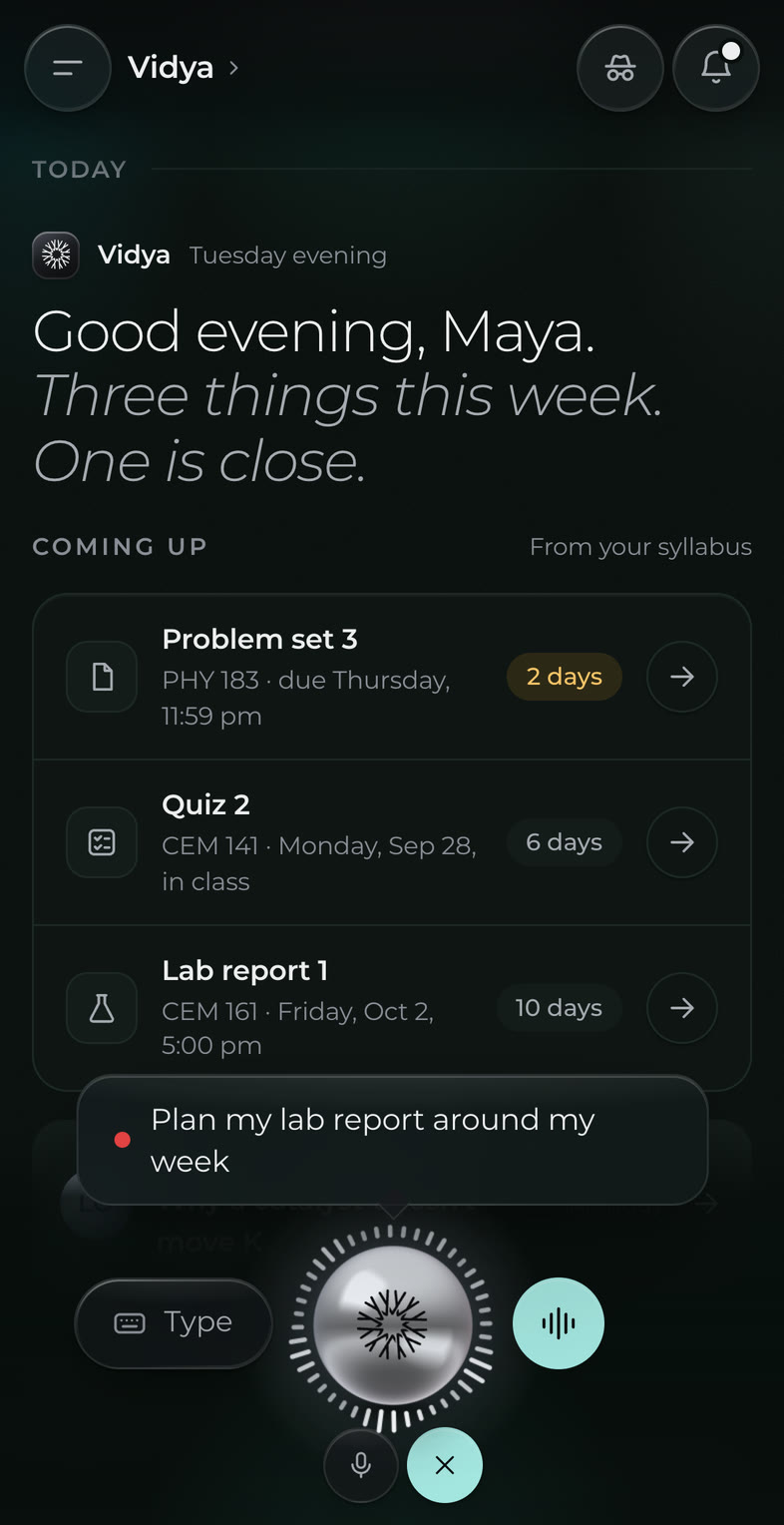
Your words appear as you say them, so you know it heard you right. The answer streams back as it's spoken, and you can stop it mid-sentence.
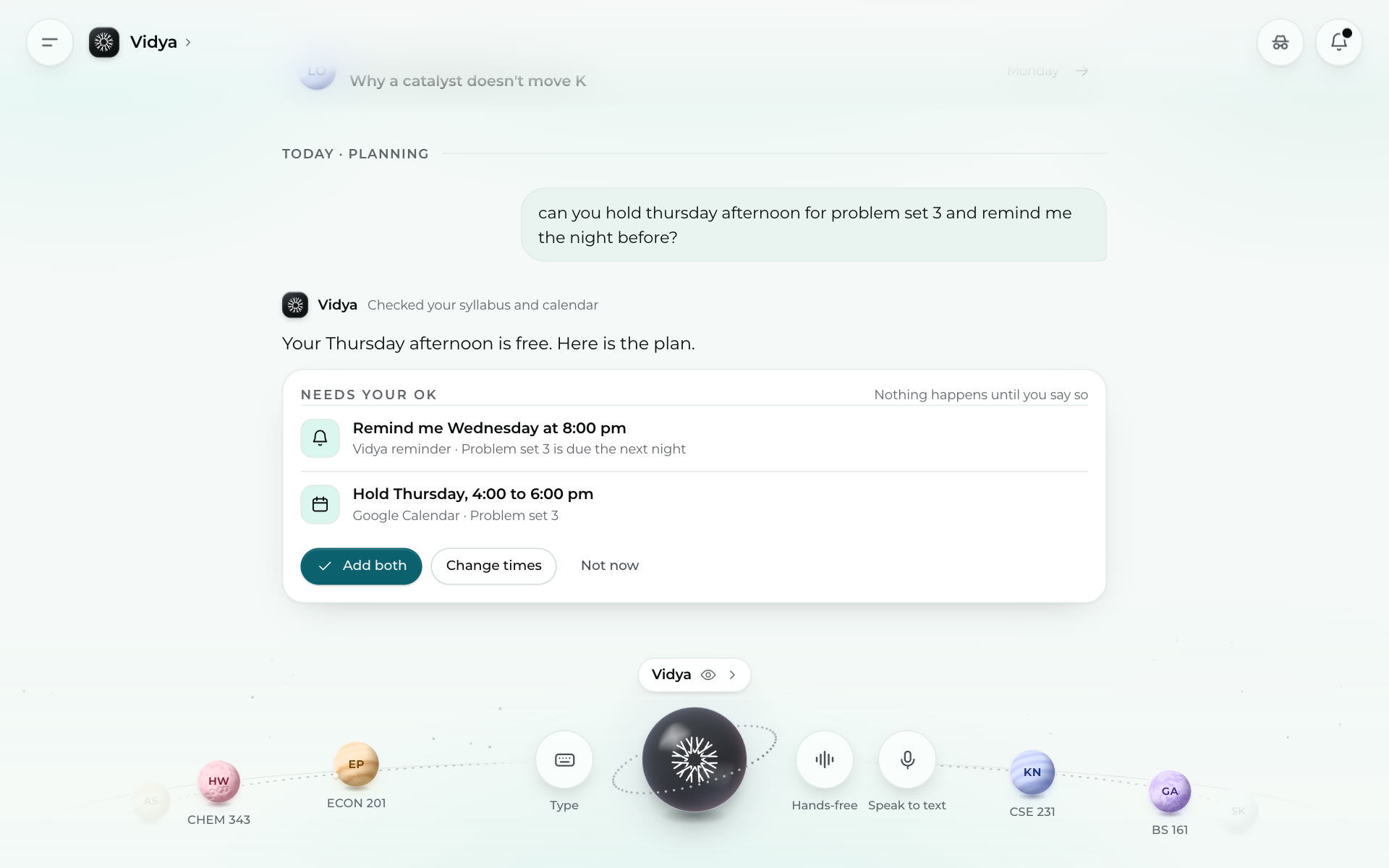
Vidya reads your syllabus and your calendar, finds the time, and proposes a plan. A reminder, a study hold, three short sessions instead of one long night. You add it, change it, or say not now. Anything it adds, you can undo.
From the Vidya app.
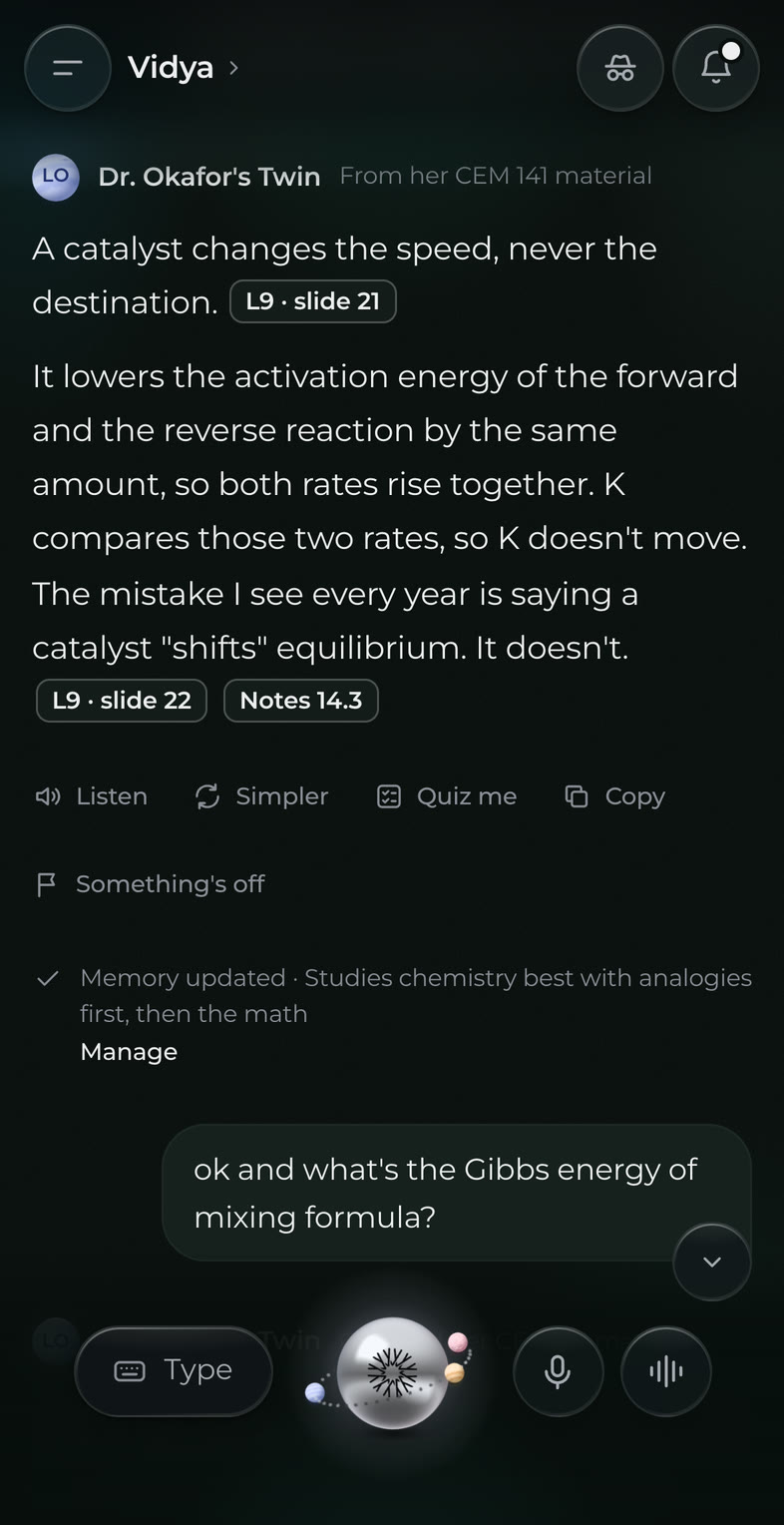
When the answer comes from your professor's course, the citation is right there: the lecture, the slide, the page. And Vidya notices what works for you, like analogies before the math, so the next explanation lands faster. You can see what it remembers and change it any time.
From the Vidya app.
Connect what you already use, once. Vidya reads it for what matters to you and tells you what it did with it.
If your professor has built a Digital Twin, Vidya answers course questions from their own material, with the citation. If the course hasn't covered something, you hear that plainly, and the question goes to your professor.
Out loud, at any hour, as many times as it takes. No one keeps count.
Anywhere · any hour · no appointmentYour conversations help you, and only you. Disconnect any source whenever you like, see what Vidya remembers and change it, and read the details in plain words in our privacy policy.
Vidya is in private beta. Join the list and we will email you when your seat is ready.
